Blog

  • Screen Recorder Video Recorder is a powerful and easy-to-use screen recording app,REC

    Screen Recorder Video Recorder is a powerful and easy-to-use screen recording app,REC

    Screen recorder with audio to record high-quality videos and take screenshots.

    Screen Recorder Video Recorder is a powerful and easy-to-use screen recording app, offering high-quality video capture and screenshots with smooth performance. It helps you easily record videos, tutorials, gameplay, video calls, and any moments you like. You can also trim, crop and rotate to edit videos before sharing.

    🔥Feature Highlights🔥
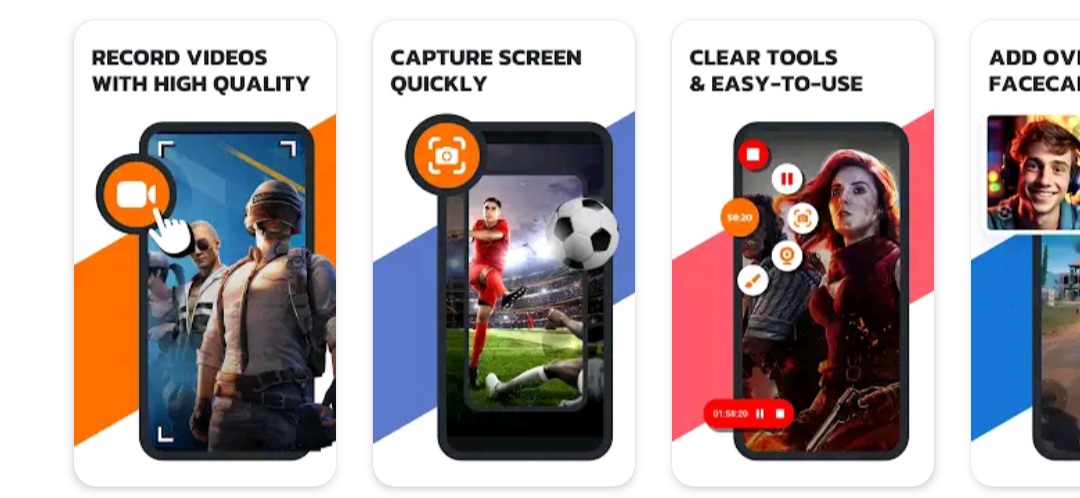
    🌟Record with high quality: 1080P, 16Mbps, 120FPS
    🌟Screen recorder with internal and external audio
    🌟Trim, Crop and Rotate: finish video record, edit, and share right within the app
    🌟Floating ball: one tap to control the process of a screen record
    🌟Facecam: show your face in the video to record reactions
    🌟Brush: draw on the screen to custom your video
    🌟Gesture control: quickly stop, pause, resume, and take screenshots etc.
    🌟No worry about the pop-up notification after screenshots
    🌟More user-friendly functions: orientation choose and countdown before start

    📱With this all-in-one screen recorder, you can:
    – Adjust recording parameters and operation methods as you like
    – Draw on the screen to add real-time annotation with brush tool
    – Record live streams that you won’t have time to watch
    – Save videos that cannot be directly downloaded
    – Share recordings on various platforms with one-click
    – Enjoy video recording with no time limit and no watermark

    With its intuitive interface and powerful features, Screen Recorder Video Recorder is the ultimate tool to capture and share videos, games and screenshots.

    ✅Clear and Smooth Screen Capture
    With Screen Recorder Video Recorder, you are able to record your screen and capture screenshots with exceptional HD clarity and fluidity. And the parameters can also be set as adaptive or as you want.

    ✅Multi-functional Video Editor
    Want to edit your video and post it on YouTube after recording it? Trim it to extract the best parts, crop it to remove the annoying top status bar, or rotate it to switch between landscape and portrait modes, and finally upload it.

    ✅One-tap Floating Ball
    Only one touch on the floating ball to control the recording when you want to capture, pause, resume, and screenshot. You can also hide the floating ball when you don’t need it.

    ✅Screen Recorder with Facecam
    Open facecam and show your face on the screen for engaging tutorials, gameplay videos, and presentations. You will create hilarious and immersive videos full of real reactions with facecam.

    ✅Screen Recorder with Brush
    With the brush and facecam features, you can simply explain concepts using on-screen drawing and engage students with your facial expressions simultaneously. Screen Recorder Video Recorder is a perfect choice for recording lessons and tutorials.

    ✅Record and Share with Ease
    You can effortlessly capture high-quality videos, annotate with tools, and instantly share your creations with your friends. Download our app and simplify your recording experience now!

    *The screen recording features of Screen Recorder Video Recorder are all free to use.

    Your suggestions or feedbacks are important to us. Please feel free to contact us at:
    screenrecorder.feedback@gmail.com.

    Tips:
    •To ensure the proper functioning of this app, it is necessary to grant permissions for the floating ball and notification bar access.
    •To protect the privacy of yourself and others, please mind if Privacy Protect is turned on when recording content.
    •We respect all copyrights. Please confirm that the content has been authorized before you record, broadcast or share.
    •Users are responsible for any actions or consequences during the use. Please read our privacy policies and terms of use carefully before recording.

    Get Started

  • VIDEO FACE SWAPPER Ai3

    VIDEO FACE SWAPPER Ai3

    Saifs AI Studio: Create stunning photos, logos & media with 8 powerful AI tools!

    Saifs AI Studio: 8 Powerful AI Tools in One App

    Transform your photos, videos, and audio with SaifsAI Studio’s advanced AI technology. Our all-in-one app brings professional-grade creative tools to your fingertips—no technical skills required.

    📸 AI PHOTO GENERATOR

    • What it does: Creates custom images from your text descriptions
    • Perfect for: Social media posts, blog illustrations, creative projects
    • How it works: Simply describe what you want to see, and SaifsAI generates a unique image
    • Key benefit: Unlimited custom visuals without photography or design skills

    🎨 AI LOGO GENERATOR

    • What it does: Creates professional logos for any purpose
    • Perfect for: Small businesses, personal branding, projects, social media
    • How it works: Input your preferences and SaifsAI generates custom logo options
    • Key benefit: Save thousands on professional design services

    👔 CLOTH CHANGER (Try-on)

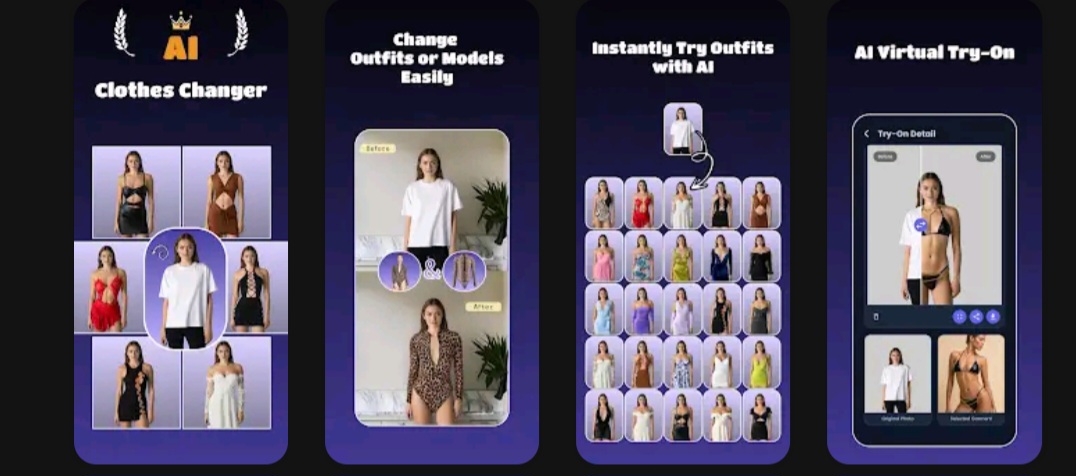
    • What it does: Virtually tries different outfits on your photos
    • Perfect for: Shopping online, planning outfits, fashion content
    • How it works: Upload your photo and select clothing to visualize different looks
    • Key benefit: See how clothes look on you without physically trying them on

    🖼️ PHOTO STYLE CHANGER

    • What it does: Transforms your photos into different artistic styles
    • Perfect for: Creative photography, social media content, artistic projects
    • How it works: Select from styles like watercolor, oil painting, sketch, and more
    • Key benefit: Create artistic variations of your photos with a single tap

    ⚡ PHOTO UPSCALER

    • What it does: Enhances low-resolution images to high definition
    • Perfect for: Restoring old photos, improving blurry images, enlarging small pictures
    • How it works: SaifsAI’s advanced algorithms add details and clarity to any image
    • Key benefit: Rescue and improve photos that would otherwise be unusable

    🎭 PHOTO TO ANIME

    • What it does: Converts any photo into authentic anime-style artwork
    • Perfect for: Profile pictures, fan art, social media content
    • How it works: Upload any photo and SaifsAI transforms it with anime aesthetics
    • Key benefit: Create professional anime-style illustrations without drawing skills

    🎬 VIDEO FACE SWAPPER

    • What it does: Seamlessly replaces faces in video clips
    • Perfect for: Fun videos, creative content, memes
    • How it works: Select a video and the face you want to swap, SaifsAI does the rest
    • Key benefit: Create entertaining videos with professional-looking face replacements

    🎵 VOCAL/MUSIC SEPARATOR

    • What it does: Splits songs into separate vocal and instrumental tracks
    • Perfect for: Karaoke, remixing, music production, covers
    • How it works: Upload any song and SaifsAI isolates vocals from the instruments
    • Key benefit: Create karaoke tracks or isolate vocals for remixes and samples

    WHY CHOOSE SAIFSAI STUDIO?

    • All-In-One Solution: Access all 8 professional tools in a single app
    • User-Friendly: Simple interface designed for everyone—no technical skills needed
    • Fast Results: Get high-quality outputs in seconds
    • Affordable: Professional-grade tools without expensive subscriptions
    • Privacy-Focused: Your data and creations remain yours
    • Regular Updates: New features and improvements added frequently

    WHO IS SAIFSAI STUDIO FOR?

    • Content Creators: Generate unique visuals and audio for your platforms
    • Small Business Owners: Create professional branding materials without hiring designers
    • Social Media Enthusiasts: Make your posts stand out with professional-quality content
    • Musicians & Podcasters: Edit and enhance your audio content
    • Anyone looking to enhance their photos, videos, and audio without learning complex software

    TECHNICAL DETAILS:

    • Minimal storage requirements
    • Optimized for all Android devices
    • No registration required to start creating

    Download Saifs AI Studio now and unlock the power of AI for all your creative projects!

    Get started

  • Football Live TV HD. Enjoy Live Match Now HTV

    Football Live TV HD. Enjoy Live Match Now HTV

    Elevate Your Football Experience with Football Live TV HD. Enjoy Live Match Now

    Are you a passionate football fan eager to catch all the action live and in HD quality? Look no further! Football Live TV HD is your ultimate destination for an unparalleled football viewing experience. Our app is designed with both football enthusiasts and SEO-friendly strategies in mind, ensuring you stay connected with your favorite teams and players.

    Key Features:

    Live Streaming: Watch every exhilarating goal, jaw-dropping save, and thrilling moment as it happens. We bring you live football matches from around the world, broadcast in stunning high-definition.
    
    Comprehensive Coverage: With access to a wide range of leagues, including the Premier League, La Liga, Serie A, Bundesliga, and more, you won't miss any of the action. Our app offers complete coverage to cater to your football needs.
    
    User-Friendly Interface: Our easy-to-navigate interface ensures that you can find your desired matches and leagues with ease. No more hunting for hours; it's all just a tap away.
    
    Live Scores and Commentary: Stay updated with real-time scores and in-depth commentary. Get insights and analysis while watching the game, enhancing your viewing experience.
    
    Notification Alerts: Never miss a crucial moment with our customizable notification alerts. Receive reminders for upcoming matches, goals, red cards, and more.
    
    Video Highlights: Relive the most exciting moments of the game with our extensive video highlights library. Watch goals, assists, and game-changing plays at your convenience.
    
    Multi-Device Compatibility: Football Live TV HD is available on multiple devices, including smartphones, tablets, and smart TVs, so you can enjoy the action wherever you are.
    
    No Subscription: Our app is free to download, with no hidden subscription fees. Enjoy quality football streaming without breaking the bank.
    
    Live Football Streaming: Experience the thrill of live football streaming like never before with Football Live TV HD.
    
    HD Quality: Immerse yourself in the game with HD quality streaming that brings every detail to life.
    
    Real-time Updates: Get real-time updates on scores, goals, and match events to keep you in the know.
    
    In-Depth Analysis: Dive deeper into the game with in-depth analysis and commentary for a richer viewing experience.
    
    Instant Notifications: Receive instant notifications for goals, red cards, and match alerts to stay on top of the action.
    
    Multiple Leagues: Access a wide range of football leagues, including UEFA Champions League, FIFA World Cup, and more.

    Get ready to kick off an extraordinary football journey with Football Live TV HD. Download now and immerse yourself in the world of football like never before. Don’t miss out on the goals, the drama, and the passion – it’s all here, in brilliant HD quality, for your viewing pleasure.

    Remember, with Football Live TV HD, you’re not just a spectator; you’re part of the action. Download today and never miss a moment of your favorite sport

    Get started

  • Effortless Call Forwarding CFW

    Effortless Call Forwarding CFW

    Call Forwarding is easy and simple application to use.

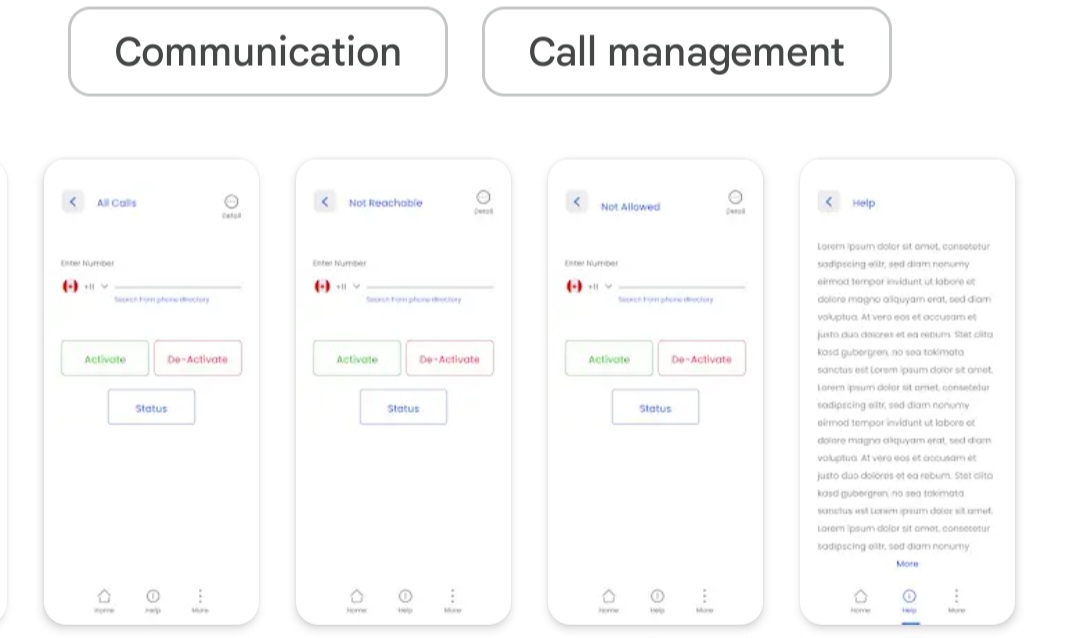
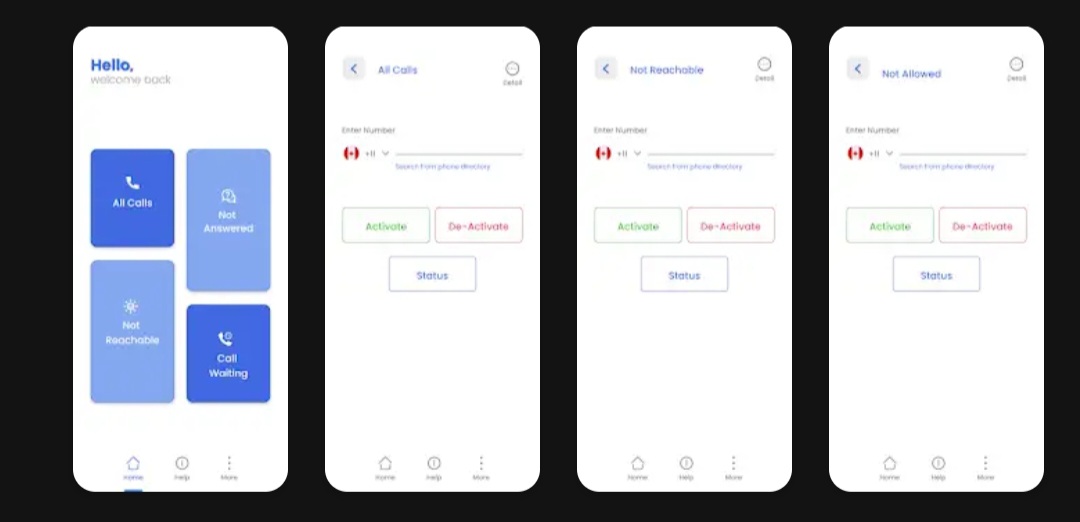
    Tired of navigating through settings to forward your calls? Look no further than the Call Forwarding App, your one-tap solution to redirect calls to any desired number. Whether you’re busy, unreachable, or simply want to divert calls, this app simplifies the process with its intuitive interface.

    Key Features:

    Simple and Quick: Redirect calls with just a tap, avoiding the hassle of navigating through your phone’s settings.

    Customizable: Easily input the target number in the text box and activate call forwarding instantly.

    Notifications: Receive confirmation notifications once call forwarding is active, ensuring you’re always informed.

    Why Use Call Forwarding App?

    Whether you need to redirect calls in all scenarios or prefer to forward calls selectively, our app offers seamless functionality for all conditions—busy, unanswered, or when you’re on another call. Stay connected effortlessly with Call Forwarding App.

    How It Works:

    Enter Number: Input the desired forwarding number in the app.

    Tap to Forward: Simply tap the ‘Forward’ button to activate call redirection.

    Stay Notified: Receive a notification confirming call forwarding is active.

    Keywords: Call Forwarding App, Call Divert, Redirect Calls, One-tap Call Forwarding, Forward Calls Easily, Call Management, Redirect Phone Calls, Notification Alerts, Call Forwarding Settings, Busy Call Redirect.

    Download Call Forwarding App now and manage your calls efficiently with minimal effort!

    install

  • AI Clothes Changer & Clothes Remover: Virtual Try On Instantly AiC

    AI Clothes Changer & Clothes Remover: Virtual Try On Instantly AiC

    AI virtual try on, clothes changer, outfit editor, and face swap in one app.

    ReWear: AI Clothes Changer, AI Clothes Remover, Virtual Try On & Advanced AI Image Editor

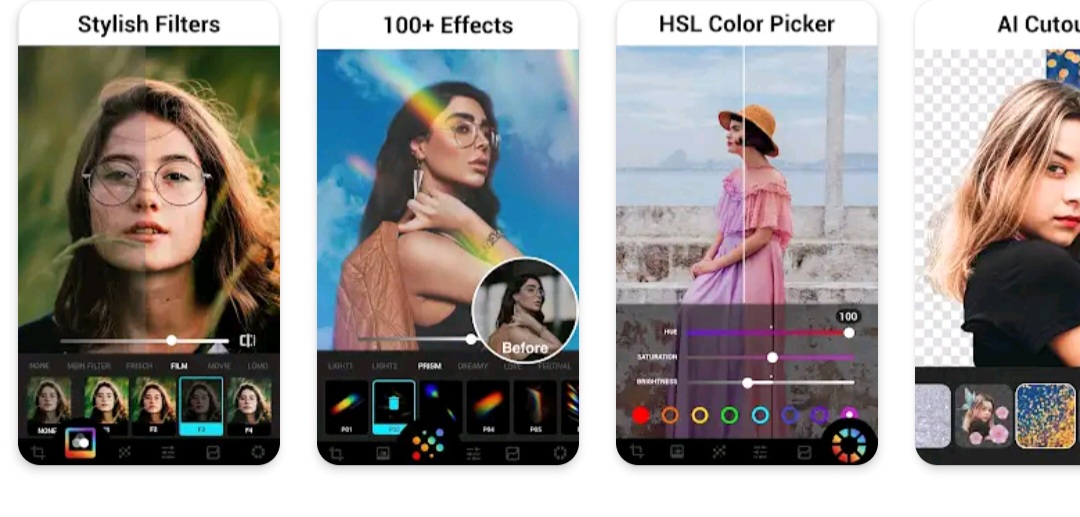
    Instantly remove clothes from photos, change outfits with AI, or try on digital clothes in seconds using the #1 AI clothes changer and virtual try on app. ReWear’s powerful fashion AI delivers ultra-realistic outfit transformations tailored to your body.

    Looking for an AI clothes remover, AI outfit generator, or realistic virtual try on for fashion? ReWear helps influencers, shoppers, and creators preview clothes before buying from Zara, SHEIN, ASOS, and more—with face swap, outfit changer, background remover, and full AI photo editing in one easy app.

    Virtually try on outfits, remove clothes from photos, change styles, and create fashion edits in seconds—no skills needed.

    AI Clothes Changer & Clothes Remover: Virtual Try On Instantly

    • Clothes Changer & Virtual Try On: Effortlessly explore 20+ fashion categories (casual, party, bikini, streetwear, business casual, fashion trends, etc.) or upload your own clothing. Get ultra-realistic results perfect for Instagram, TikTok, Pinterest, and more.
    • AI Clothes Remover: Accurately remove clothes from photos, instantly ready to virtually try on outfits.

    AI Face Swap & AI Headshot Generator:

    • Face Swap: Realistically swap faces instantly—ideal for social media fun, viral edits, or just experimenting creatively.
    • AI Headshot Generator: Generate professional-quality headshots instantly, suitable for LinkedIn, resumes, dating profiles, or personal branding. Create multiple styles effortlessly.

    Magic Brush: Precision AI Edits

    • Precisely edit clothing styles, hairstyles, tattoos, and accessories with just a few brush strokes. Type your desired changes, and let AI do the rest—perfect for detailed retouches and creative edits.

    NEW in 1.0.5:
    Advanced AI Image Editor: Edit Photos by Typing!

    • AI Image Editor: Transform your photos simply by typing your imagination! Easily change outfits, adjust poses, add accessories, or even insert friends. AI makes each edit seamless and natural‐looking.

    AI Remove Tools

    • AI Object Remover: Remove unwanted objects or distractions instantly—erase things from photos effortlessly, leaving clean, stunning images ready to share.
    • AI Background Remover: Automatically erase backgrounds with precision, perfect for product shots, portraits, or creative edits.

    Outfit Generator & Outfit Explorer:

    • Outfit Generator: Describe your ideal outfit in words and instantly generate stunning clothing visuals tailored exactly to your style.
    • Outfit Explorer: Discover and explore outfit ideas created by other users, find new fashion inspirations, and follow trending AI outfits daily.

    Why Users Love ReWear:

    • Instantly remove clothes or try new fashion looks virtually before purchasing from Revolve Clothing, Zara, ASOS, and SHEIN.
    • Effortlessly combine Virtual Try On, Face Swap, Object Remover, and Background Remover for endless creativity.
    • Create viral-quality photo edits instantly—no editing skills required, perfect for beginners and professionals alike.

    Trusted by Over 100K Users Worldwide:
    Thousands of users trust ReWear daily for flawless AI-driven fashion and image editing:
    “Best AI Clothes Remover and Virtual Try On app—the realism is unbeatable!”
    “Instant object removal and background edits—perfect results every time!”

    Download ReWear Today & Experience Instant AI Magic!
    Join thousands transforming their fashion photos instantly—HD-quality, watermark-free edits, ready to boost your social media engagement!

    Try ReWear free today and see why it’s the go-to app for AI Clothes Removal, Outfit Changes, Virtual Try On, Face Swap, Headshots, Object & Background Removal, and AI-Powered Image Edits—all in one place!

    Note: Certain pro tools use credits (earn free by watching ads or upgrade any time).

    Get started

  • Effortless Call Forwarding call FB

    Effortless Call Forwarding call FB

    Call Forwarding is easy and simple application to use.

    Effortless Call Forwarding

    Tired of navigating through settings to forward your calls? Look no further than the Call Forwarding App, your one-tap solution to redirect calls to any desired number. Whether you’re busy, unreachable, or simply want to divert calls, this app simplifies the process with its intuitive interface.

    Key Features:

    Simple and Quick: Redirect calls with just a tap, avoiding the hassle of navigating through your phone’s settings.

    Customizable: Easily input the target number in the text box and activate call forwarding instantly.

    Notifications: Receive confirmation notifications once call forwarding is active, ensuring you’re always informed.

    Why Use Call Forwarding App?

    Whether you need to redirect calls in all scenarios or prefer to forward calls selectively, our app offers seamless functionality for all conditions—busy, unanswered, or when you’re on another call. Stay connected effortlessly with Call Forwarding App.

    How It Works:

    Enter Number: Input the desired forwarding number in the app.

    Tap to Forward: Simply tap the ‘Forward’ button to activate call redirection.

    Stay Notified: Receive a notification confirming call forwarding is active.

    Keywords: Call Forwarding App, Call Divert, Redirect Calls, One-tap Call Forwarding, Forward Calls Easily, Call Management, Redirect Phone Calls, Notification Alerts, Call Forwarding Settings, Busy Call Redirect.

    Download Call Forwarding App now and manage your calls efficiently with minimal effort!

    Install

  • Google Authenticator adds an extra  cod

    Google Authenticator adds an extra cod

    Enable two-step verification to protect your account from hijacking.

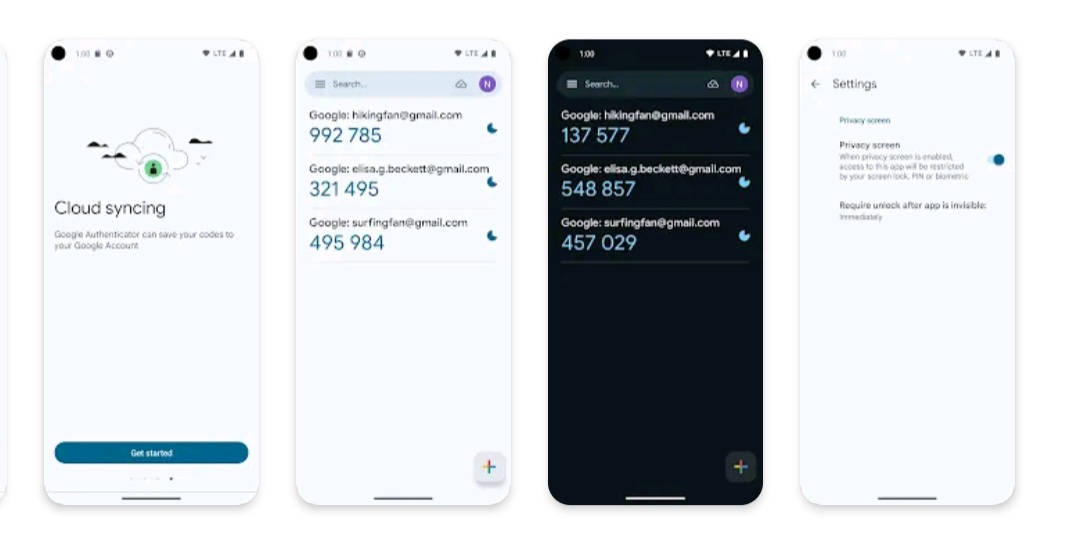
    layer of security to your online accounts by adding a second step of verification when you sign in. This means that in addition to your password, you’ll also need to enter a code that is generated by the Google Authenticator app on your phone. The verification code can be generated by the Google Authenticator app on your phone, even if you don’t have a network or mobile connection.

    • Sync your Authenticator codes to your Google Account and across your devices. This way, you can always access them even if you lose your phone.
    • Set up your Authenticator accounts automatically with a QR code. This is quick and easy, and it helps to ensure that your codes are set up correctly.
    • Support for multiple accounts. You can use the Authenticator app to manage multiple accounts so that you don’t have to switch between apps every time you need to sign in.
    • Support for time-based and counter-based code generation. You can choose the type of code generation that best suits your needs.
    • Transfer accounts between devices with a QR code. This is a convenient way to move your accounts to a new device.

    Get it now

  • Are you photography lover and looking ddt

    Are you photography lover and looking ddt

    Are you photography lover and looking for app which can capture your photo pose

    Are you photography lover and looking for an app which can capture your photo pose same as Model’s photo pose? Then try this app.

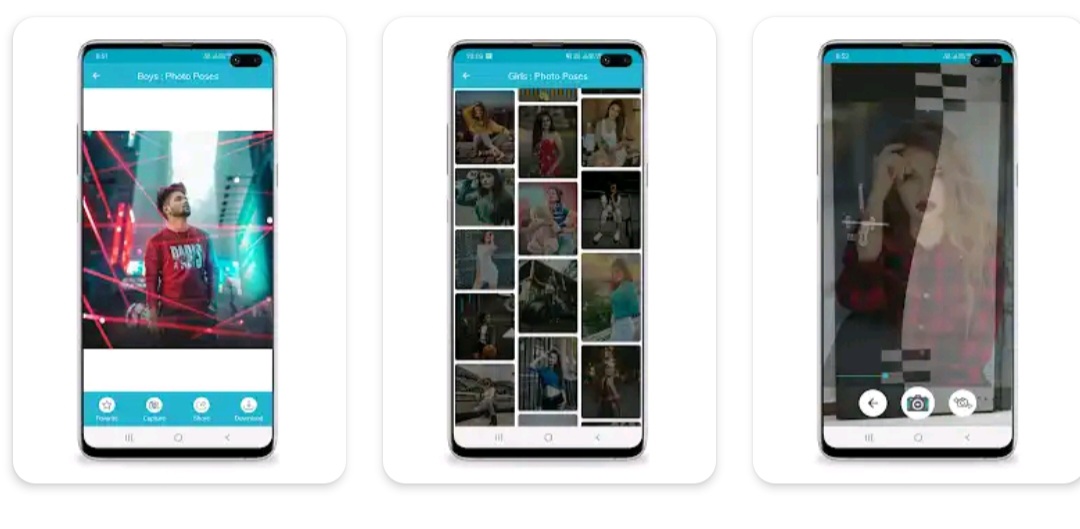
    Photo Poses (pose app) is an app which have collection of stylish photo poses for boys and girls who loved to capture photo.

    Photo Poses will gives you lots of photo poses idea and help you to capture the pose and preserve your memories and feelings.

    Photo Poses have many different categories and will gives you an idea about photography poses which can help you to capture stylish images just like stylish photographer.

    Photo Poses for boys and girls will inspire you to click different nice pose photo shoot. This app gives latest Photo shoot idea with unique poses, style poses, portrait poses, selfie poses, baby photo poses, kids photo poses, couple photo poses, couple photo shoot, wedding photography, pre wedding photoshoot and many more

    Are you going on vacation with your family and friends, at Marriage function, on Festival Occasion. Then this app will gives a stylish and unique photo poses idea.

    Features:

    ★ Browse categories, sub categories, images for Stylish Photo Poses for Boys, Girls, and Many other…
    ★ Two finger gesture to zoom image.
    ★ Add image to favorite, view favorite images
    ★ Download image for offline usages, view downloaded images
    ★ Capture your photo from photo pose you want to capture
    ★ Adjust photo pose in capture pose camera screen to capture the best pose
    ★ View your captured photo pose
    ★ View credit of the author of the image
    ★ Share images to your friends, family member, colleagues through social media.
    ★ Fast and easy navigation to view favorite,

    get it now

  • Device Test Benchmark MMI

    Device Test Benchmark MMI

    View device info, device id, system info, hardware info, And Test Device.

    Device Info: View hardware, software and system information. Test Android Device Hardware.

    Key Features

    👉Device id, Phone id, Advertising ID, Phone info
    View phone info and device id, find your iccid, mcc, mnc, carrier id, etc.

    👉Storage Analysis
    Quickly find redundant files, duplicate files, and large files to free up more storage space.

    👉Apps Analysis
    Target sdk, min sdk, app installer, native library, sensitive permissions, perform a comprehensive physical examination of the applications in your phone.

    👉Device Test Benchmark
    Screen test, button test, sensor test and hardware test to see if everything is normal on your phone.

    👉Device Benchmark
    Test Device hardware, view sensors realtime data and test it.

    👉App Detail
    Activities, services, broadcast receivers, permissions, view AndroidManifest.xml, you can see all the details of the application.

    👉Management Apps
    Export app icons, export app APKs, share apps, uninstall apps, it’s very convenient for you to perform any operations on apps

    👉Floating Monitor
    Using the floating monitor, you can see various data of the mobile phone in real time, such as real-time monitoring of FPS, battery current, battery voltage, mobile phone signal, CPU&GPU status, etc.

    📱Device Info provides following information of your Android device which grouped as below.

    ▸Device information, Phone information
    ▸System Information
    ▸Hardware Information
    ▸Device benchmark
    ▸Device Test & Hardware Test
    ▸SIM Information
    ▸Real time Sensor Information
    ▸CPU & Processor Details
    ▸Battery Health
    ▸Hardware temperature
    ▸Network(WiFi & Mobile network)
    ▸Camera info
    ▸Internal Storage & System Storage & External Storage
    ▸Display
    ▸GPU & RAM
    ▸App details
    ▸GPS & Realtime Satellite

    Get started

  • downloaded files to SD card SSD

    downloaded files to SD card SSD

    Simple app to download Video & Music from the Internet.

    Easily download videos and music directly from the Internet onto your device. All formats are supported. 100% free!

    Video downloader auto detects videos, you can download them with just one click. The powerful download manager allows you to pause and resume downloads, download in the background and download several files at the same time. Preview the video first, fast download and play it offline.

    Features
    * Browse videos with the built-in browser
    * Play videos offline with the built-in player
    * All download formats supported, mp3, m4a, mp4, m4v, mov, avi, wmv, doc, xls, pdf, txt, etc.
    * Auto detect videos and easily download
    * Full-featured download manager to pause, resume and remove downloads
    * Download several files at the same time
    * Save downloaded files in a password-protected folder
    * Download videos in the background
    * SD card supported
    * Resume failed downloads
    * Fast download speed
    * Check the progress in the download bar
    * HD video download supported
    * Large file download supported
    * Download video, music and pictures
    * Add bookmarks for your favorite websites

    How to Use This Video Downloader
    * Browse website with the built-in browser
    * Auto detect videos, and tap the download button
    * Choose which video you want to download
    * Done!

    Video Downloader Manager
    If you are looking for powerful video downloader manager, try this video downloader manager to download video, you won’t regret it!

    Browser Private Downloader
    The best browser private downloader and browser downloader. This browser downloader can keep your videos safe. Download with this browser private downloader and browser downloader.

    Download Manager
    Download manager for video download. Enjoy your downloading with this download manager.

    Fast Video Downloader
    Wanna download video with fast speed? Try this fast video downloader to download video. It’s the simple and fast video downloader for video download in the market.

    Video Downloader App
    This video downloader app help you download video with just one click. Enjoy video download with this free video downloader app.

    Download Video
    If you’re looking for video, you really need to try this download video app!

    Permission
    – Network – to download files
    – Read and write SD card – to save your downloaded files to SD card

    Get started